DIGITAL DETOX LIFE WITH NOSTALGIC TECH
Palm in theReiwa Era!?
Offline digital life, back in your shirt pocket.
2026-08-11WEB / PRINT EDITION
PHOTO: PRIVATE COLLECTION
DIGITAL DETOX LIFE WITH NOSTALGIC TECH
Offline digital life, back in your shirt pocket.
PHOTO: PRIVATE COLLECTION
THE FUTURE IN YOUR PALM KEEPS EVOLVING.
160×160—roughly a tenth of a smartphone’s resolution. Check the timetable, board the train, then pull Palm from a shirt pocket for a glance at yesterday’s market.
“Is the market beginning to run a little hot? Ah, I promised the kid we’d go to the seaside tomorrow—what was the forecast? Good: sunshine through the afternoon.”
Oh, Nihombashi already. Palm slips back into the pocket on the way to the office. It still holds that small digital thrill we remember.
Twenty years on, step into a world of new Reiwa-era Palmware. Take that Palm from the cupboard and pick up the stylus once more.
Editor and developer: Zeusu
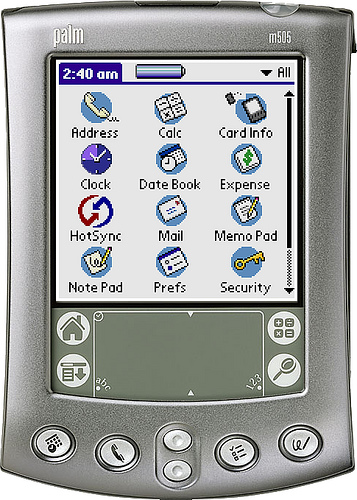 NOSTALGIC
See the wait for the next train or bus at a glance.
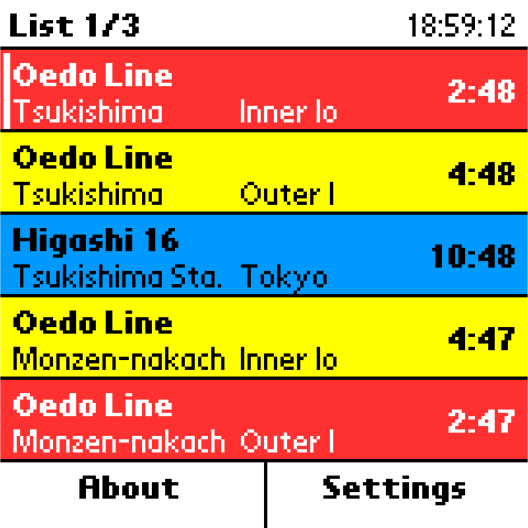
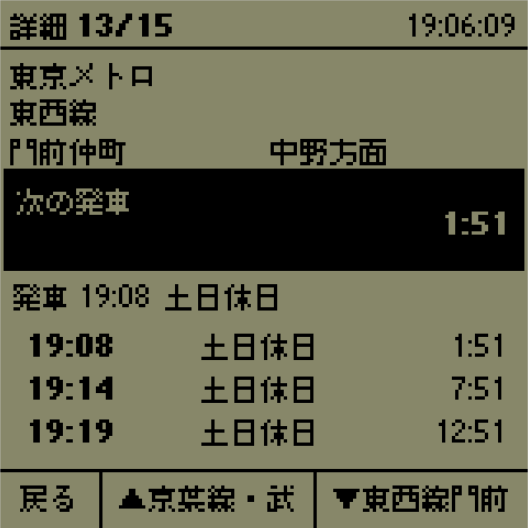
Up to fifteen Tokyo rail and bus routes. Your Palm becomes the departure board for the lines you use every day.
Morning train. Evening bus. The connection in between. Arrange five favourite routes per page across up to three pages, and see the wait to each next departure at once.
Windows Updater prepares the timetable data; HotSync slips it into your pocket. Weekday, Saturday, and holiday schedules switch automatically, while a familiar 160×160 screen keeps the commute moving.
Install one PRC: Japanese or English.
In TransferTimeUpdater.exe, register up to fifteen stations, stops, and directions.
Choose the Palm Desktop user, queue the timetable PDB, and HotSync.
Launch the app for the list; tap any route for its detail view.
Japanese and English Palm builds share one application identity. Choose one for the handheld.
Free on PalmDB: Japanese and English PRCs, plus a 64-bit Windows updater.
OPEN ON PALMDB ↗The world's markets on a 160×160 trading board.
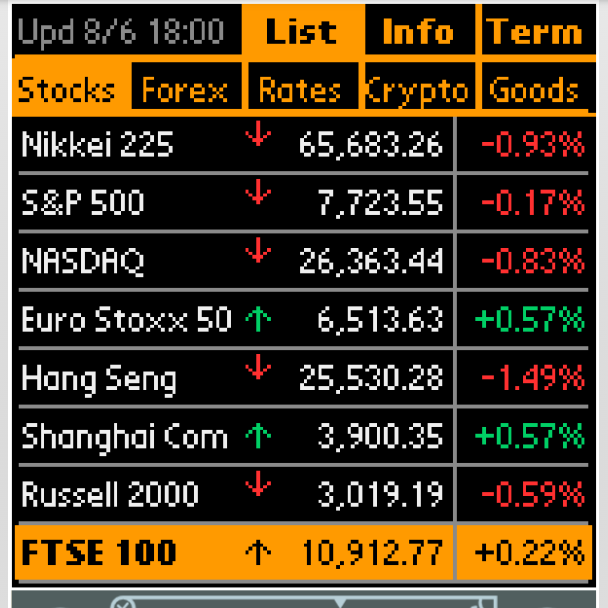
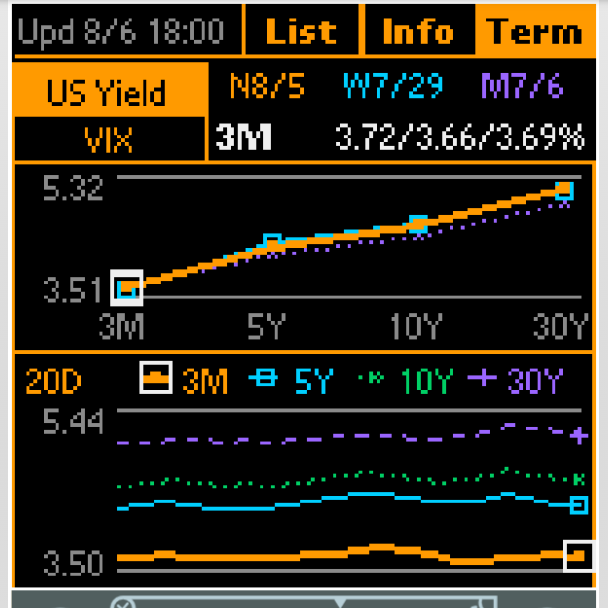
Indexes, currencies, yields and volatility, crypto, commodities—price histories and charts for all forty series in your pocket.
Five asset classes, eight series apiece: forty gauges of the world economy packed into one small screen. Open a symbol for open, high, low, close, plus day, week, and month changes.
Twenty daily candles, plus term structures for U.S. Treasuries and VIX. Windows fetches the latest market data; HotSync carries it to Palm.
Install one language PRC; launch it once on the Palm.
In MarketUpdater.exe, choose the Palm Desktop user.
Refresh the markets; HotSync PalmMarketData.pdb.
Open the app, then tap a feature, asset class, or symbol to explore the market.
The launcher is おいちょ株 in Japanese and OichoKabu in English. Both PRCs share one application identity; choose one.
Free on PalmDB: Japanese and English PRCs, plus a 64-bit Windows updater.
OPEN ON PALMDB ↗Come rain, there's always tomorrow!
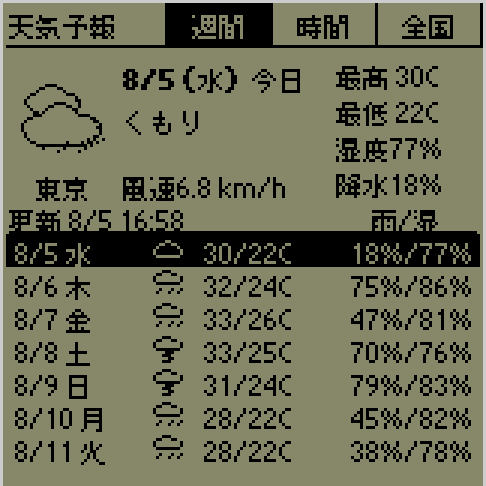
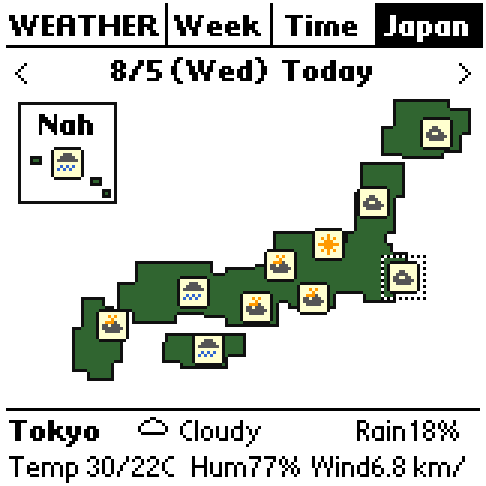
Seven-day and four-hour forecasts, with eleven major cities across Japan to choose from. One HotSync brings today's sky into view on Palm.
The Weekly screen shows seven days including today; Time follows each day in four-hour steps. Temperature, rain chance, humidity, and wind stay compact and clear.
See the weather in eleven Japanese cities at a glance. OhisamaUpdater prepares the Open-Meteo forecast; HotSync sends fresh data to Palm. Your handheld reads the sky ahead.
Install one PRC: Japanese or English.
In OhisamaUpdater.exe, choose the Palm Desktop user.
Run Update now or automatic update; HotSync the fresh forecast.
Tour Weekly, Time, and Japan. Set the display location on the About screen.
Launchers are named お日さん in Japanese and Ohisama in English. Both PRCs share one application identity; choose one.
Free on PalmDB: Japanese and English PRCs, plus a 64-bit Windows updater.
OPEN ON PALMDB ↗Fill your Palm with the latest Reiwa-era news, then head out.
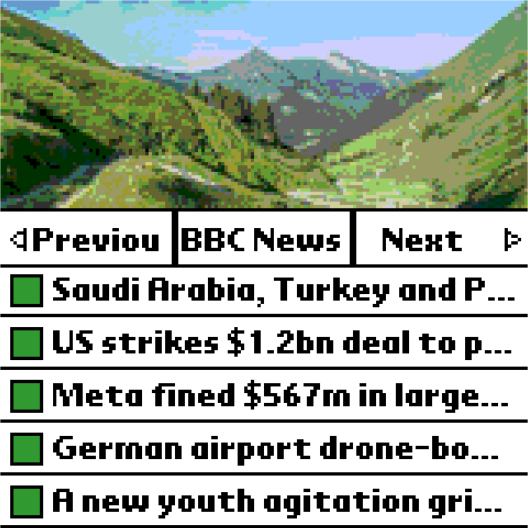

Ten RSS or Atom feeds, fifty items. Each morning's HotSync turns Palm into the morning paper.
Five items per feed, up to ten feeds in one PDB. Beneath a beautiful Wikimedia Commons photograph sit the feed name and its top five stories.
On the article screen, buttons let you scroll and continue into other stories. Windows Updater gathers the latest items; HotSync prints a fresh edition.
Install the Japanese PRC.
In PilGomKaiUpdater.exe, enter one to ten feed URLs.
Choose the Palm Desktop user. Run Update now or automatic update; HotSync.
Tour feeds with Page Up/Down. Tap an article row to read.
Runs on Japanese Palm OS.
Dig through twenty-year-old logs on a twenty-year-old handheld.
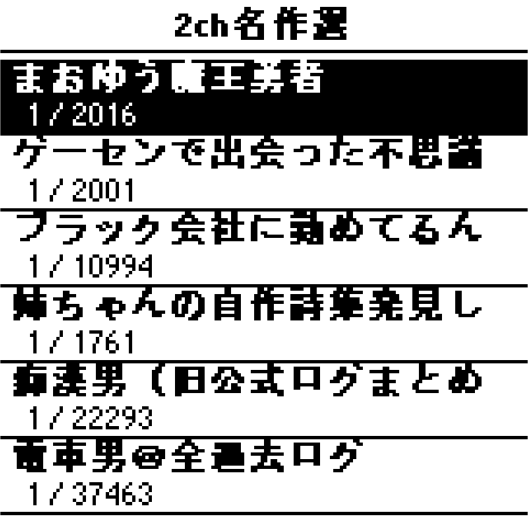
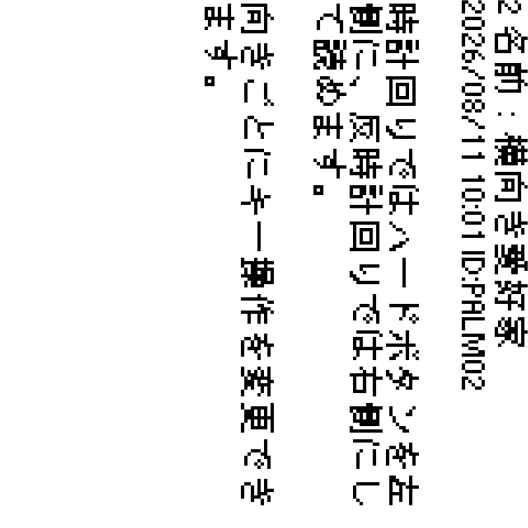
One post per screen. Choose the reading orientation that suits you, and settle in for a long one.
A twenty-year-old message board feels just right on a twenty-year-old screen.
Each work lives in its own PDB. Turn the reading screen portrait, clockwise, or counterclockwise, and assign six hardware keys for each orientation. Bookmarks are saved per work, keeping your place through the longest reads.
Unpack the Reader ZIP; install the 0.1.2 JP PRC.
Use the Windows Builder to download a work, turn it into a PDB, then sync it with HotSync.
Open a work with a tap or the five-way centre.
Turn pages with the upper and lower screen halves. Tailor each orientation's keys in Settings.
Runs on Japanese Palm OS.
Free on PalmDB: Reader 0.1.2 PRC, original four-post sample PDB, and Windows Builder.
OPEN ON PALMDB ↗Twenty years on, maths becomes play on Palm.
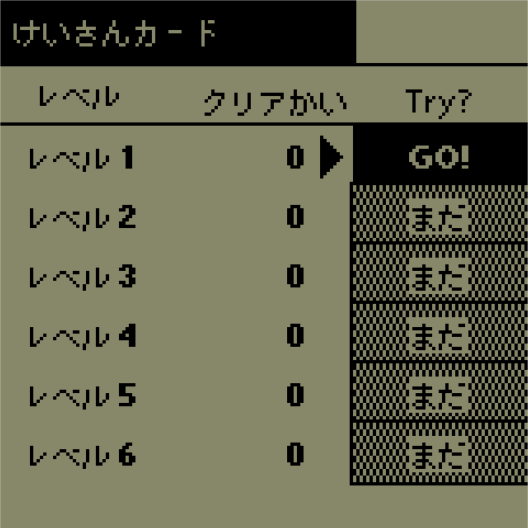
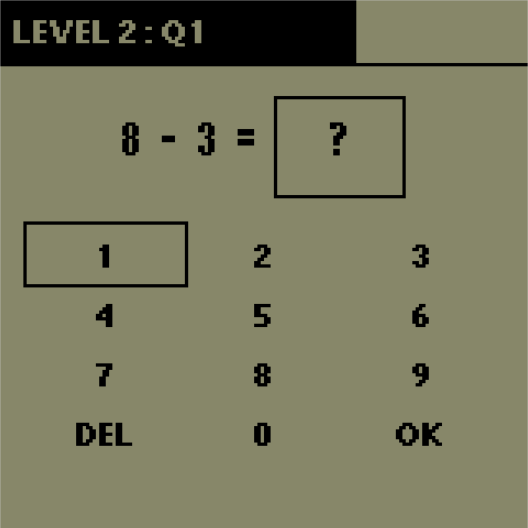
Flip through fact cards, then solve missing-number puzzles. Six stages turn addition and subtraction into a steady climb.
Ten questions make a game, with fact-card and missing-number modes.
Ten points a question; 100 clears the game. Ten clears unlock the next level.
Choose a launcher language; install that PRC.
Tap a level—or select it with Page Up/Down—and press Memo.
Answer with the on-screen controls or the hardware buttons.
Answer all ten correctly for one clear; ten clears unlock the next level.
App names: けいさんカード and Keisan Card. Runs in Japanese and English environments.
Free on PalmDB: Japanese- and English-launcher PRCs, plus the complete ZIP.
OPEN ON PALMDB ↗Captain! Let’s pick our flight date on a Palm.
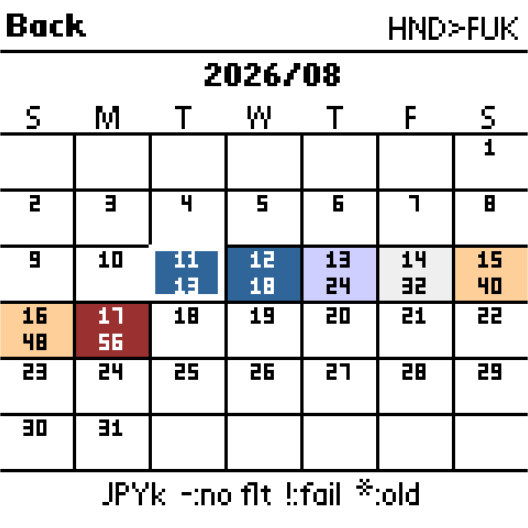
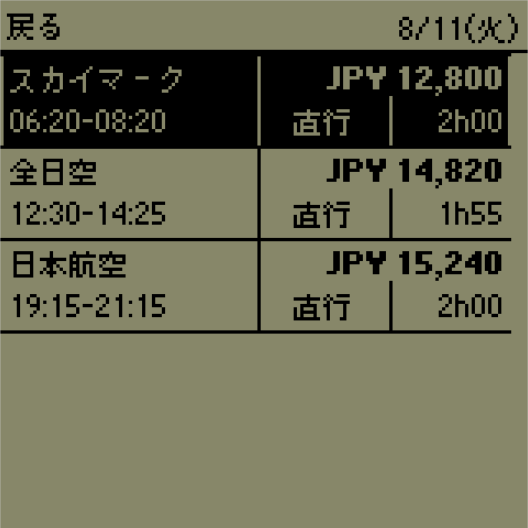
Eight routes, ninety days ahead. The latest fares and flights, in the palm of your hand.
Set a route in the Windows Updater—origin, destination, and dates. The calendar lays out each day’s fare at a glance, and Palm points to the right time to fly.
Tap a promising day to compare airline, fare, departure and arrival, direct or connecting, and duration. Open a flight to see an itinerary of up to three legs on one screen.
Install either the Japanese or English PRC on the Palm.
Unpack the full ZIP, open PalmAirportUpdater.exe, and set airports, date range, and number of stops.
Choose the Palm Desktop user and update. Once the transfer is queued, run the usual HotSync.
Pick a route, then a day, then a flight. Browse by touch or hardware key.
Japanese and English Palm builds share one application identity. Choose one for the handheld.
Free on PalmDB: Japanese and English PRCs, plus a 64-bit Windows updater.
OPEN ON PALMDB ↗HotSync works on Windows 11. Hear that familiar “pi-ro-ree♪” once more.
Download the ZIP from PalmDB and unpack it.
Send the PRC to Palm Desktop Quick Install. For apps with a Windows updater, run it to prepare the PDB, too.
HotSync. A fresh icon appears in the launcher.
Load a compatible ROM from your Palm into CloudPilotEmu, then drag and drop the PRC to try it straight away.
cloudpilot-emu.github.io ↗See each app spread for Palm OS version, colour support and additional data requirements.
Find current releases and ZIPs on PalmDB. Scan a QR code and you’re there.
An independent magazine for getting the most from Palm in the Reiwa era. The 2026-08-11 edition presents seven new Palmware titles, all born in Reiwa.
Release terms: see each README and PalmDB page. Trademarks: their respective owners. Concept, editing and publication: Zeusu Sato.
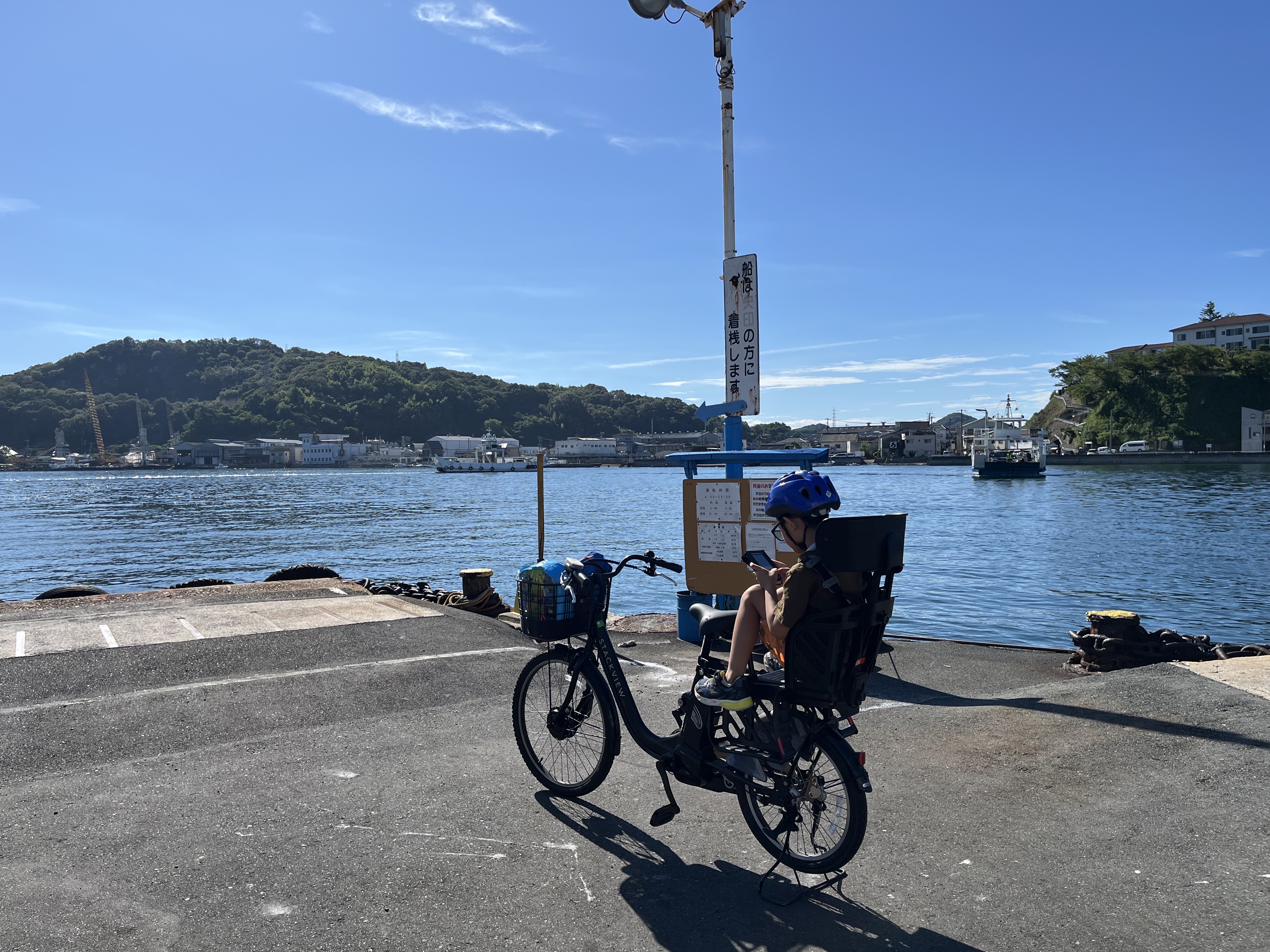
The cover was taken at a ferry pier in Onomichi, Hiroshima, the author’s hometown, while his son played on a Visor Deluxe. The back cover was photographed at Nihombashi Station in Tokyo, where the author works.
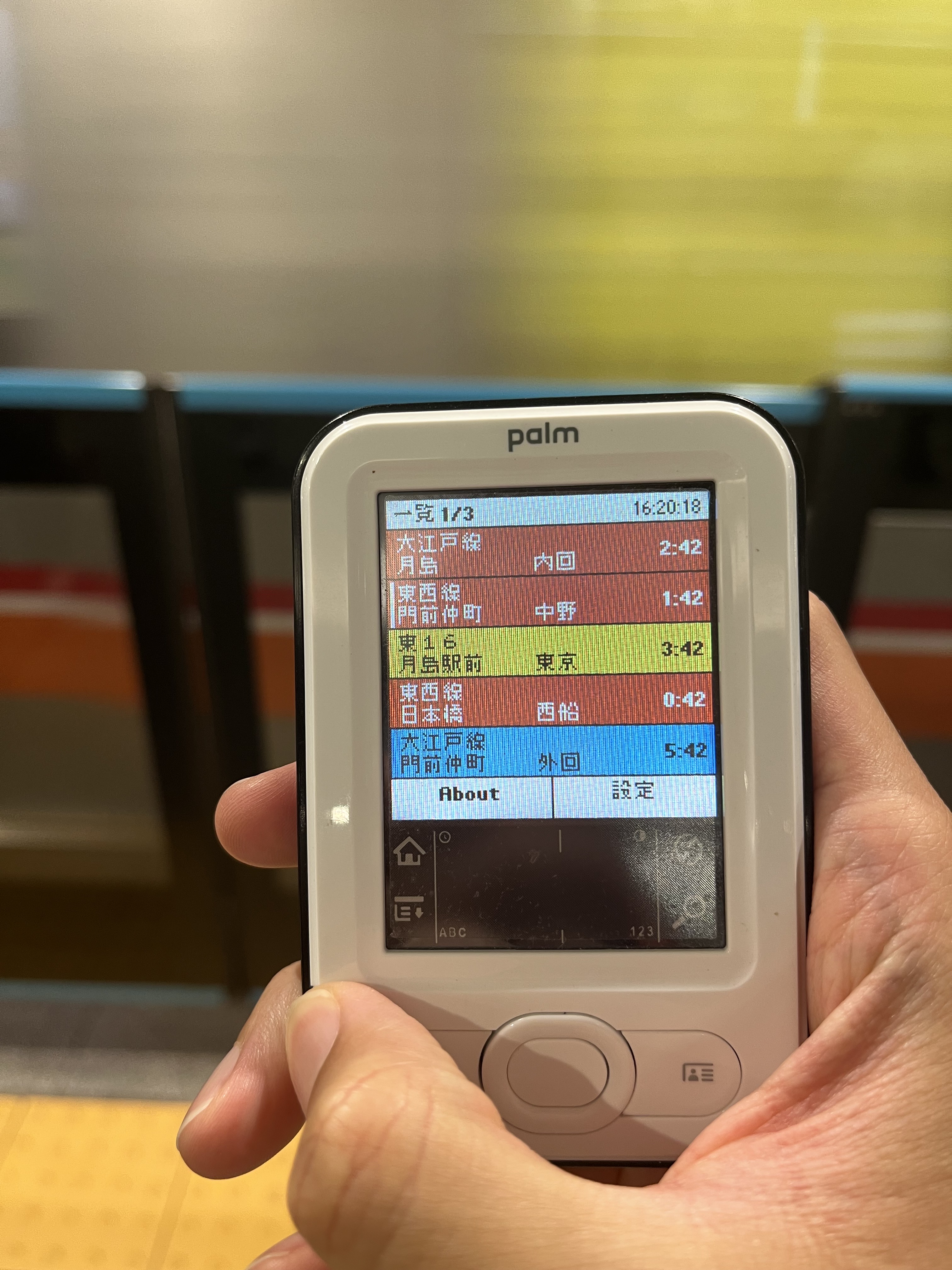
REIWA PALM MAGAZINE / 2026-08-11 EDITION
More new Palmware is on its way.
AN INDEPENDENT PALMWARE JOURNAL / FIRST PUBLISHED 11 AUGUST 2026 / PHOTO: PRIVATE COLLECTION